

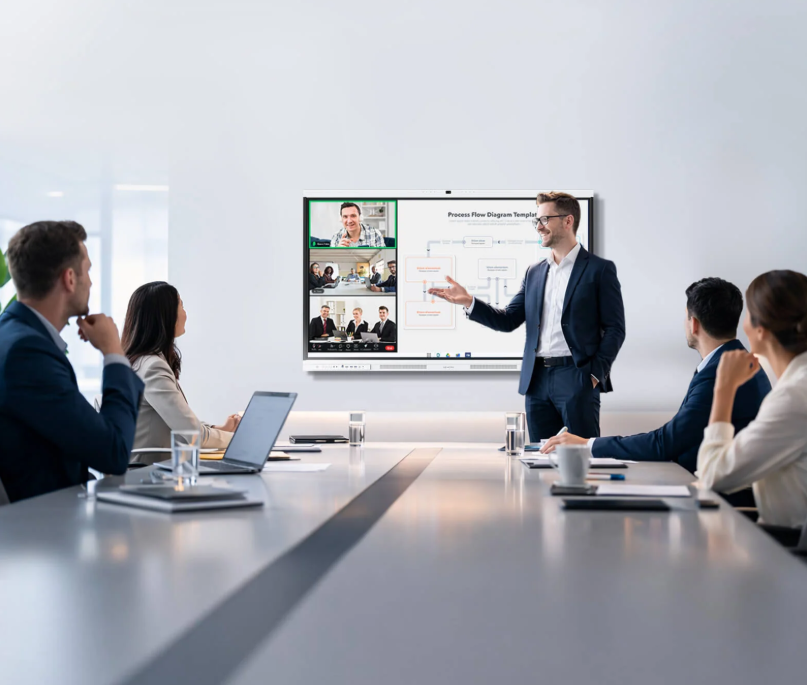
Smart boards are part of everyday work in meeting rooms, training spaces, and shared offices. Yet screen size and touch response tell only part of the story. IT teams also need to understand how devices receive security updates, how administrators manage settings, and what happens when a board needs support across several locations.
For organizations reviewing collaboration hardware, Nework offers smart meeting displays designed for teamwork, reliable meetings, and simpler deployment. Features include Google EDLA support, a 48MP Pro Camera with 4K clarity and intelligent 3A optimization, and eight AI microphones with more than 300 noise filters. Buyers can review the product details and discuss deployment needs with the company before shortlisting a model.
Start with the Security Framework
A smart board is a connected endpoint, not simply a large display. It may access company Wi-Fi, shared files, calendars, video meetings, and cloud services. The operating system, account controls, application access, and update policy all matter in an IT review.
When comparing Nework vs other smart boards, buyers should confirm each model’s operating system and how it handles approved apps and user sign-in. Google EDLA is a useful point to check because it relates to access to Google’s enterprise services and security requirements. It should not replace a review of the vendor’s device management practices.
Ask suppliers for documentation on security controls, administrator settings, and vulnerability reporting. Clarify whether local accounts can be restricted, guest sessions cleared, and devices reset before reassignment.
Updates Need a Clear Maintenance Plan
Software updates can address security issues, improve compatibility, and fix system problems. Buyers should distinguish between automatic system updates, application updates, and updates to optional computer modules. These components may follow different schedules and depend on different vendors.
Google EDLA support includes automatic system updates. IT staff should still ask which update channels are supported, whether installation can be scheduled, and how update status is checked. Confirm the support period and how compatibility issues are handled.
Decide who approves changes, when devices can restart, and how users are notified. If rooms host meetings throughout the day, testing updates on one device before wider rollout can reduce disruption.
Remote Administration Affects Daily Support
Remote administration helps IT staff manage equipment without visiting every room. Controls vary by manufacturer and model. Some products support centralized monitoring or remote configuration, while others rely on local menus and manual checks.
During a Nework vs other smart boards assessment, ask suppliers to demonstrate the workflow. Can an administrator check device status remotely? Can settings be standardized across rooms? Can staff identify a device that has gone offline? Which tasks still require an on-site visit?
Review permissions as well. Employees, visitors, teachers, and contractors may share a display, but system settings should remain restricted to authorized personnel. Separate everyday user access from administrator access, and remove accounts when staff leave or devices move between departments.
Match Meeting Hardware to the Room
Security and administration should be assessed alongside the equipment used for calls. Camera clarity matters when participants need to see facial expressions or objects at a distance. Microphone performance matters when people sit around a table or when ventilation and conversation create background noise.
The listed 48MP Pro Camera offers 4K clarity with intelligent 3A optimization. Eight AI microphones use more than 300 noise filters. Request a demonstration in a room similar in size and layout to the planned installation, and check voice pickup from seats farthest from the display.
Optional OPS support is another configuration point. Organizations that need Windows can ask whether the optional module fits their software and maintenance requirements. Confirm the operating system version, licensing, peripheral compatibility, and support responsibilities before ordering. Evaluate optional computer support separately from the board’s built-in platform.
Build a Repeatable Procurement Checklist
A structured comparison helps purchasing teams evaluate smart boards beyond their appearance and advertised features. They can use the same criteria for each supplier, including the operating system, security documentation, account controls, automatic update support, and recovery procedures. Remote administration should also be reviewed to determine whether IT staff can check device status, adjust settings, and manage permissions without visiting each room.
Meeting performance and deployment requirements deserve equal attention. Buyers should test camera clarity, microphone pickup, display visibility, and compatibility with their existing meeting applications. They should also confirm network requirements, installation arrangements, user training, warranty coverage, and technical support before placing an order.
A pilot installation allows the IT team and daily users to test the board under normal working conditions. They can record setup time, identify recurring support issues, and gather feedback before expanding the deployment. For larger projects, maintaining records of device models, room locations, assigned administrators, and maintenance dates also helps support teams investigate problems and manage equipment consistently.
Choose Based on Operational Fit
The right smart board is not defined by one camera specification or a single security label. Buyers need to consider how it will be configured, updated, supported, and used over time. A consistent checklist makes comparisons more objective and highlights unanswered questions before purchase approval.
The product range combines collaboration-focused hardware with Google EDLA support and optional OPS configuration. Buyers should verify administration functions, update policies, and compatibility against their requirements. A sound purchasing decision depends on documented answers and a realistic room test.
